Once your AI assistant is connected to Pidgo, a single message is enough to build a complete Instagram automation. The better the message, the better the result. Below are ten prompts you can copy, adjust and send to Claude, Cursor or any other assistant that supports MCP.
Not connected yet? Start with Set up Instagram DM automations with Claude; it takes about two minutes.
What makes a good automation prompt
Every strong prompt answers five questions:
- Which post: "my latest reel", "the reel about pasta", or any post, or the next one I publish.
- Which word: the keyword people comment, ideally one short, unusual word. See comment keyword ideas.
- What they get: the link, the file or the answer, and what it's called.
- Which extras: public reply, follow gate, email question, reminder.
- How it should sound: your tone and the language of your audience.
You don't need all five every time. If you leave something out, the assistant picks a sensible default or asks.
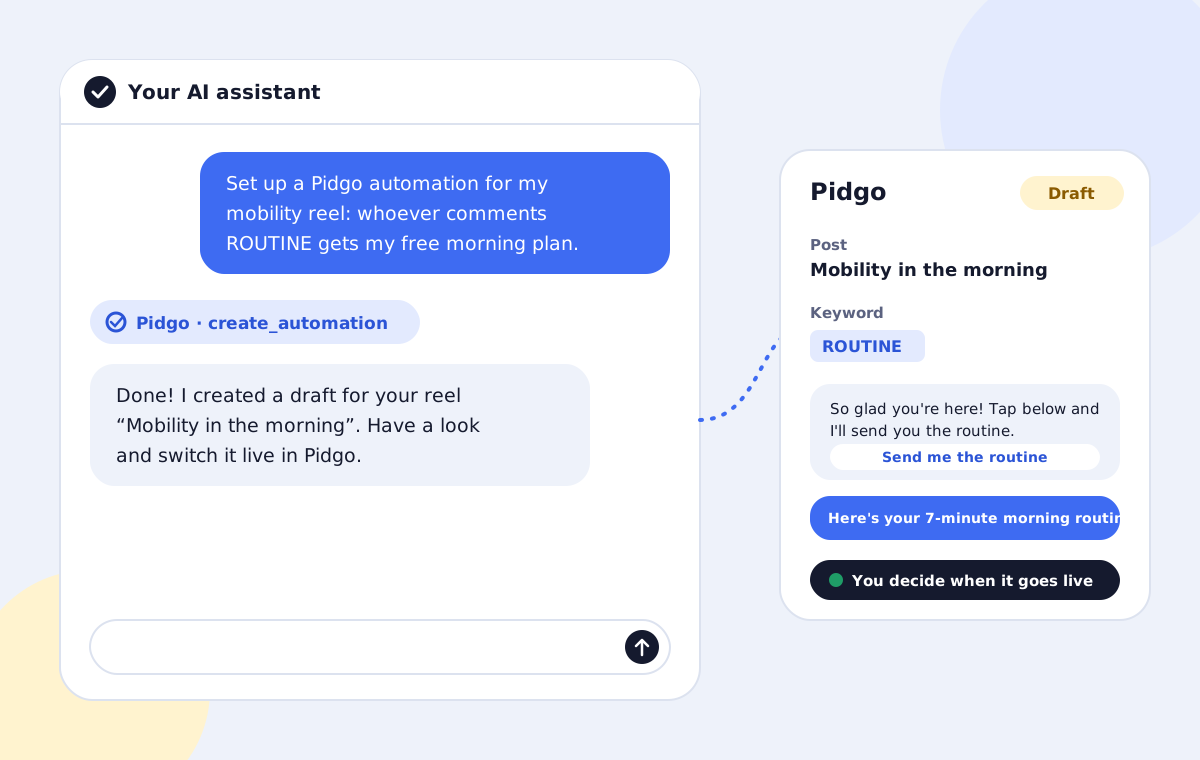
1. The classic lead magnet
Create a Pidgo automation for my latest reel. Whoever comments GUIDE gets my free guide at example.com/guide. Add a short public reply and a friendly opening message with a button. Casual tone.
The all-rounder. Works for guides, checklists, templates and free plans.
2. Product link for a shop
For my reel about the linen shirt, send the product link example.com/linen-shirt to everyone who comments LINK or SHIRT. Mention that sizes S to XL are back in stock. Short and upbeat, one emoji at most.
Two keywords catch both people who follow instructions and people who just write what they want.
3. Grow followers with a follow gate
Set up an automation on my newest reel: keyword PLAN, free 4-week training plan at example.com/plan. Only send the link to people who follow me; if they don't yet, ask them nicely to follow first.
The follow gate turns viewers into followers. Read when to ask for a follow before you use it everywhere.
4. Collect emails for your newsletter
Whoever comments RECIPE under my lasagna reel gets the full recipe at example.com/lasagna. Before the link, ask for their email so I can send new recipes. Warm, personal tone.
Pidgo saves the addresses as contacts you can export.
5. Every comment, any post
Create an automation for all my posts that reacts to the keyword PRICE and sends my price list at example.com/prices. No public reply.
Useful for questions people ask everywhere, like prices, opening hours or booking links.
6. Prepare your next post
I'm posting a reel tomorrow about my new course. Prepare an automation for my next post: keyword COURSE, link example.com/course, plus a reminder after 4 hours for people who didn't open it.
The automation waits as a draft and attaches to the next post you publish once it's live.
7. A different language
Set up the same automation as my GUIDE automation, but write all messages in Spanish for my Spanish-speaking followers, with the keyword GUIA.
The assistant reads the existing automation and translates the messages, keeping Instagram's limits in mind.
8. Improve existing messages
Look at my automation for the keyword ROUTINE. Rewrite the opening message and the link message so they're shorter and sound more like a friend texting. Keep the link.
Great for automations that work but feel stiff.
9. Audit everything at once
List all my Pidgo automations with their keywords and numbers. Which ones get comments but few clicks? Suggest better messages for those.
The assistant can read your automations and their stats, then suggest and apply improvements.
10. Pause an offer that ended
My Black Friday offer is over. Pause every automation that links to example.com/black-friday.
Pausing is instant and reversible: switch them live again in Pidgo whenever you like.
Tips for even better results
- Paste your own words. Give the assistant a caption or an old DM you like, and ask it to match the style.
- Ask for options. "Give me three versions of the opening message" before it creates anything.
- Check the draft. The assistant shares a link; read the messages once on your phone before switching live.
- Keep keywords unique. Pidgo won't save two automations with the same keyword on the same post, and the assistant will tell you if one is taken.
Questions people ask
Do these prompts work with ChatGPT?
The prompts work in any assistant, but the assistant needs a working MCP connection to Pidgo. That works with claude.ai, Claude Desktop, ChatGPT, Claude Code, Cursor, VS Code, Gemini CLI and many more. See which AI assistants support MCP.
Will the automation go live right away?
No. Every automation an assistant creates is a draft. You review it and switch it live in Pidgo.
Can I write the prompt in my own language?
Yes. Write in whatever language you like, and say which language the DMs should be in.
What if the assistant gets something wrong?
Tell it, like you would a colleague: "use a different post" or "the button text is too long". It updates the same draft.