Your caption is already the automation
Pidgo’s AI reads which word your followers should comment and what you promise them, then writes every message in your tone. You add the link or a PDF. A second later it’s live.
Free during the beta. Works with Instagram creator and business accounts.
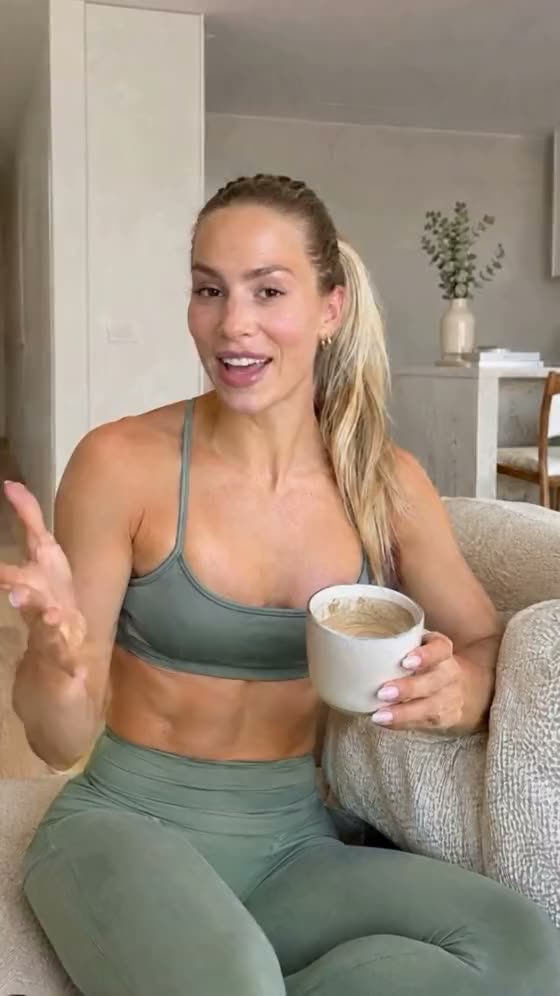
Your caption becomes an automation
Other tools make you set up keywords, triggers and messages by hand. Pidgo reads what you already wrote and lets you know as soon as your reel is up.
- 1
Tap a post
Connect Instagram and tap the reel people will comment on.
one tap - 2
Pidgo reads the caption
The AI finds the word, understands what you promise and writes the greeting, the link message and the reminder in your tone and language.
about a second - 3
Add a link or PDF, go live
Paste a link or upload a PDF and go live. You can still change every word afterwards.
a few seconds
Send a PDF, not just a link
Your guide, your plan, your price list: upload it once and Pidgo sends it to everyone who comments the word.
- No website neededUpload the file. Pidgo hosts it for you.
- Opens right in InstagramFollowers read it in the app, no download, no extra app.
- Small and quickPidgo compresses it before it’s stored, so it loads fast on mobile.
Here’s your 7-day plan. Enjoy!
Open the planProvided by pidgo.app
You're live. Pidgo sends the DMs.
Say a word on your Live. Everyone who comments it has your link in their inbox seconds later, and your iPhone shows the count going up in real time.
- In the Dynamic IslandThe DMs count up live, without leaving your Live.
- On the lock screenWhen the Live ends, the final numbers stay: DMs, clicks, who came last.
- No comment gets lostEven when everyone writes at once, each person gets their message.

 mila.kitchen

For everyone who sells on Instagram
One word in the comments, a reply within seconds. Whether it’s coaching, a clinic, a shop or content.




One word. Everywhere on Instagram.
Under a reel, in your story, in your DMs or during a Live: Pidgo hears your word and sends the link, in your voice.
The whole app, in your pocket
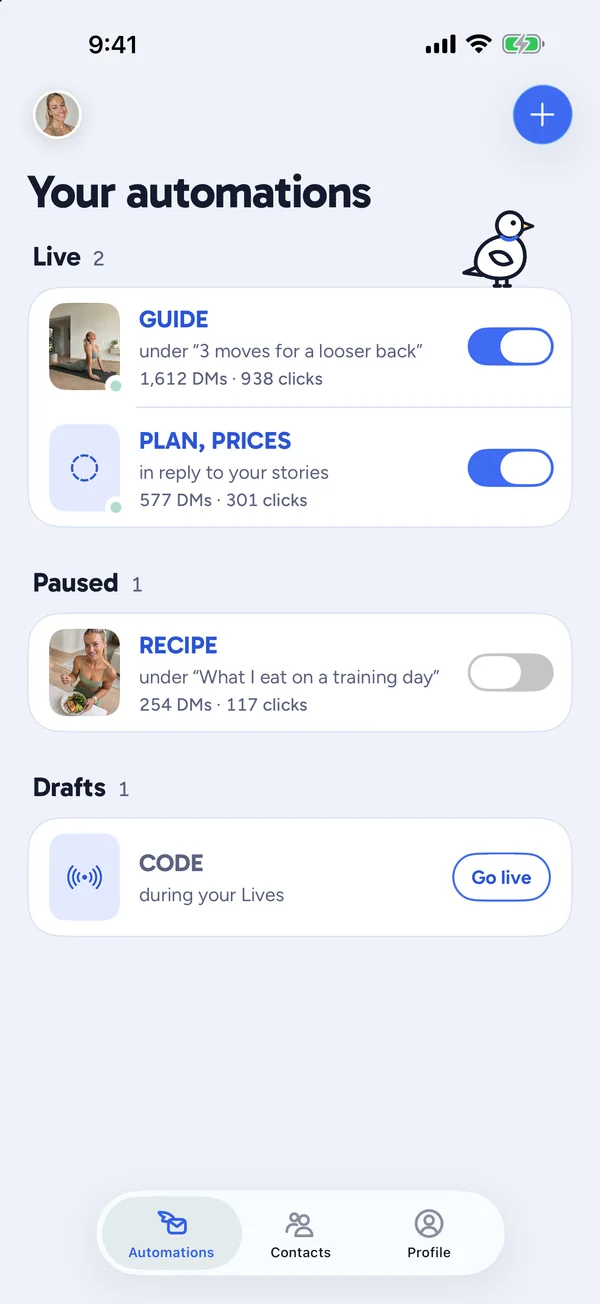
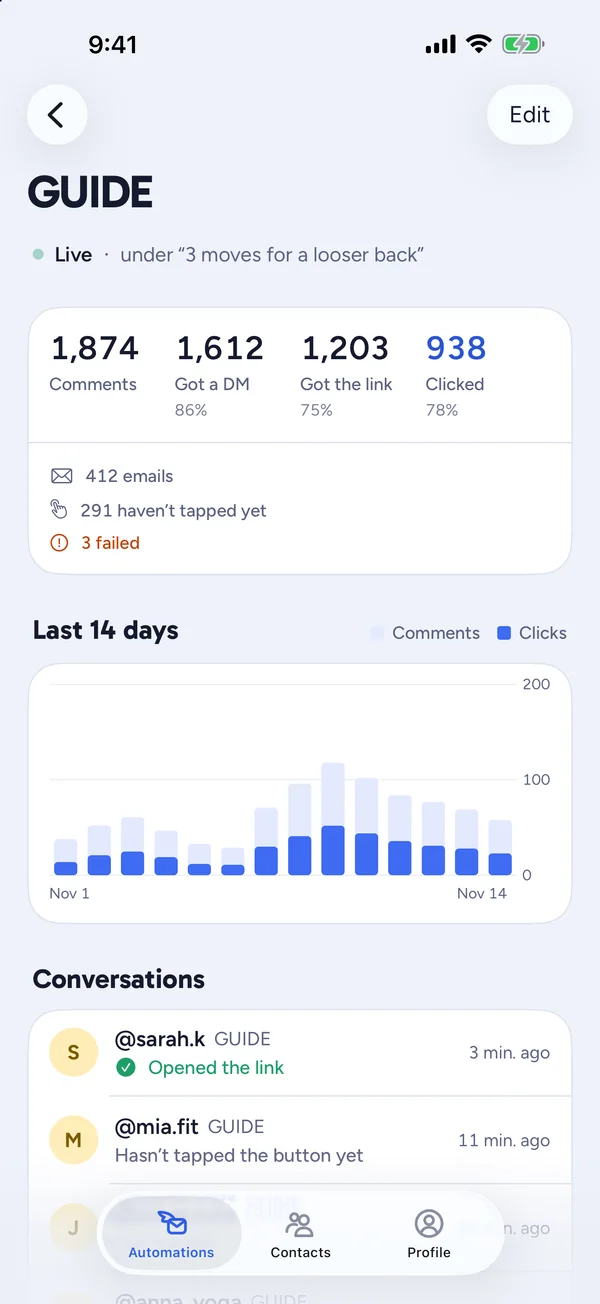
Switch automations on and off, see the numbers per post, every email and every conversation. And a push the moment your reel is up.
- Your automations
- Numbers per post
- Every conversation
- Every email
Just tell your AI
Connect Claude or another AI assistant to Pidgo and describe in one sentence what should happen. Pidgo builds the automation, you switch it live.
- Describe it, skip the setup. Post, keyword, messages, follow gate and reminder, all from one description.
- Messages that sound like you. The AI writes short DMs in your tone and language, within Instagram's limits.
- You stay in control. The AI only creates drafts. An automation goes live only when you say so.





- + VS Code and more

Your automation is working32% of the people who commented opened your link.
See which post brings you customers
Every automation comes with its own analytics. No spreadsheet, no extra tool.
Per post, not per month
For every reel you see how many people commented, got a message and clicked, and on which days.
Every conversation, readable
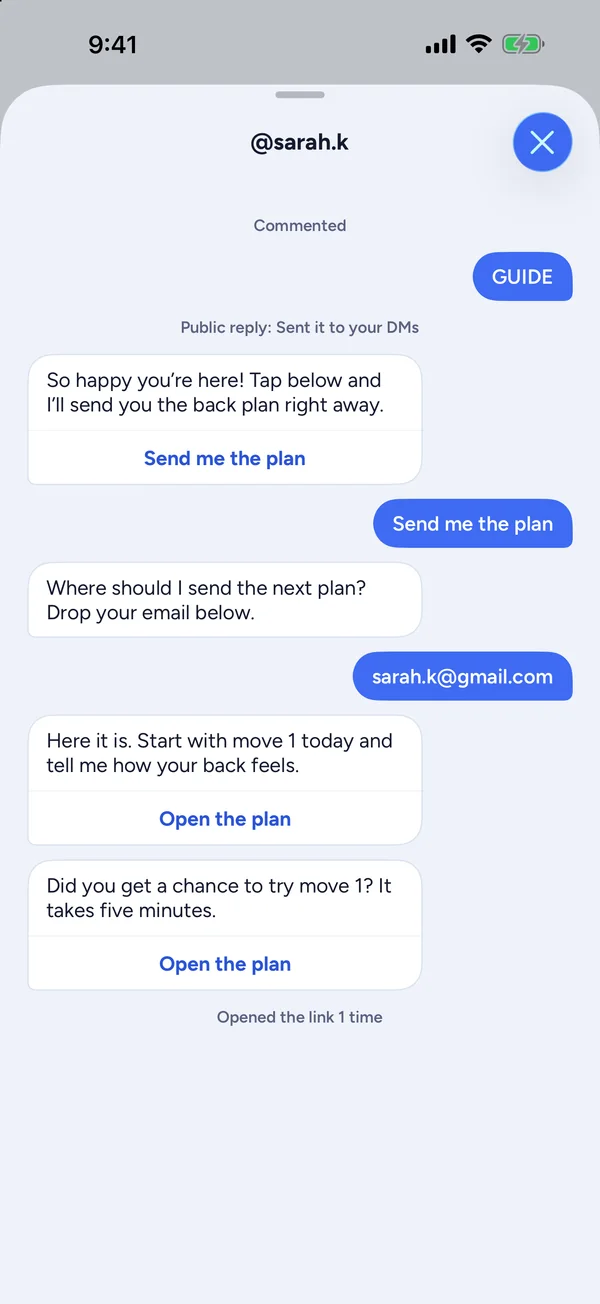
See who commented, what Pidgo sent and who opened your link.
Tips when something stalls
If many people don’t tap the button or rarely open the link, Pidgo tells you what to change.
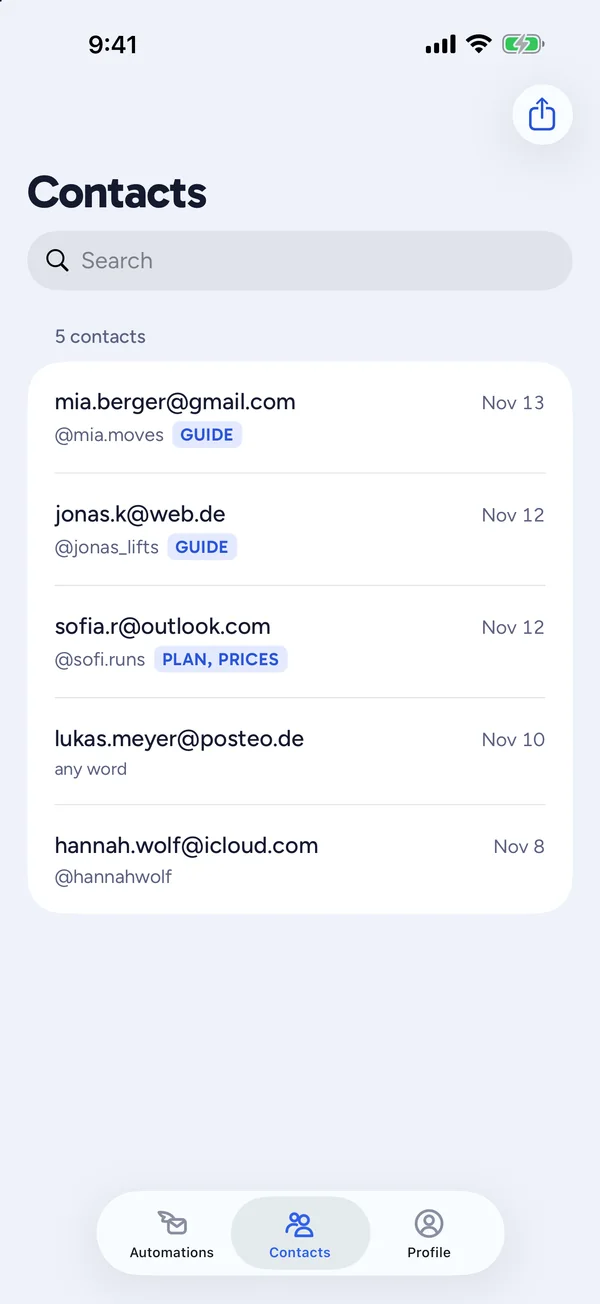
Grow your email list while you reply
Pidgo can ask for an email before it sends the link. Every address lands in your contacts, ready for your newsletter.
Asked right in the DM
Switch on “Collect email” and Pidgo asks before sending the link. No form, no landing page.
Nobody gets stuck
If the answer isn’t an email, Pidgo asks once more, then sends the link anyway.
With name and source
Each address comes with the Instagram name and the word it came from.
Export in one click
Download all contacts as a CSV file and import them into your newsletter tool.

| sarah.k@email.com | @sarah.k | GUIDE |
| mia@email.com | @mia.runs | GUIDE |
| jonas@email.com | @jonas_fit | PLAN |
Sounds like you, not like a bot
First names, a short pause before sending, and your own words.
How many tools sound
Thanks for your comment! Click here to get your download: bit.ly/3xK9q
No name, a cryptic link, sent the instant you comment.
How Pidgo sounds
Hey Sarah, glad you're here! Here's your back plan. Let me know how the first move goes.
First name, your tone, the link as a preview card.
Guides to Instagram DM automation
Guides- PlaybookSet up Instagram DM automations with Claude and other AI assistantsDescribe your comment-to-DM automation in plain words and let Claude, Cursor or another AI assistant build it in Pidgo through MCP. Setup, examples and safety.5 min read
- BasicsComment-to-DM on Instagram: how it works, step by stepA step-by-step guide to comment-to-DM automation on Instagram, from choosing the reward and keyword to the opening DM, the link and the follow-up, with a full example.7 min read
- BasicsInstagram DM automation rules: what Meta allows in 2026The rules for automated Instagram DMs explained: one private reply per comment, the 7-day and 24-hour windows, rate limits and what gets accounts restricted.7 min read
- PlaybookWhy your first automated DM should have a buttonThe opening DM with a button gets more people to open your link and lets you send follow-ups. Why it works on Instagram, how to write one and 20 button texts to copy.6 min read
- ComparisonThe best Instagram DM automation tools in 2026A comparison of Instagram DM automation tools in 2026: ManyChat, LinkDM, Inro, CreatorFlow and Pidgo. Features, pricing models and who each one is best for.6 min read
- ComparisonPidgo vs ManyChat: which one fits your Instagram?An honest comparison of Pidgo and ManyChat for Instagram comment-to-DM: features, pricing model, setup, limits and who each tool is for.6 min read
Questions people ask
Is this allowed by Instagram?
Yes. Pidgo uses Meta's official API for comments and messages. You grant Pidgo access yourself and can revoke it at any time.
What does Pidgo cost?
Nothing during the beta. There's a generous monthly message limit so nobody can use Pidgo for spam.
Which Instagram account do I need?
A creator or business account. Switching is free and takes a minute. Pidgo shows you how when you connect.
Does Pidgo post anything for me?
No. Pidgo reads comments under the posts you choose and sends your message. Nothing else.
Let your next reel answer for you
Connect Instagram, tap a post, add the link. Pidgo has already written the rest.
Start free
lisa.b 🔥🔥
nora.k 😍