Instagram Caption Keywords: Find, Place and Turn Them Into DMs
Instagram Caption Keywords: Find, Place and Turn Them Into DMs

Instagram caption keywords do two jobs, and most guides cover only the first. Search keywords are the plain words people type into Instagram’s search bar, and they help strangers find your post. Comment keywords are the single word you ask followers to type (“GUIDE”, “LINK”, “START”) so they get something in their DMs. Write the caption for both and one post can bring in new viewers and then hand each of them what they came for.
This guide shows how to choose the words, where to put them, how a keyword-triggered DM works under Instagram’s rules, and how to check that it pays off. If you want the DM half handled for you, Pidgo reads your caption and sets up the comment-to-DM reply in your tone.
TL;DR
- Use one primary search keyword near the start of the caption, a few supporting terms in the body, and write the rest the way you talk. Stuffing hurts readability.
- Hashtags are a small supporting signal. Instagram’s own CEO has said they add little reach, so spend your effort on the caption’s words.
- A comment keyword (one short word in your call to action) can trigger a private DM with your link. Instagram allows one such message per comment, within 7 days.
- Keep the two kinds of keywords separate: a topic phrase for search, a short unique word for the DM trigger.
- Judge results per post: comments, DMs sent, link clicks and emails captured, not reach alone.
Table of Contents
- What caption keywords are and why they matter
- How to choose keywords people actually search
- Where to place keywords in the caption
- Keywords versus hashtags in 2026
- Comment keywords: the second kind
- How keyword-triggered DM automation works
- Setting up a keyword-triggered DM
- Rules and limits to check
- Measuring whether it works
- Let Pidgo handle the DM half
- Common mistakes
- FAQ
- Sources
What caption keywords are and why they matter
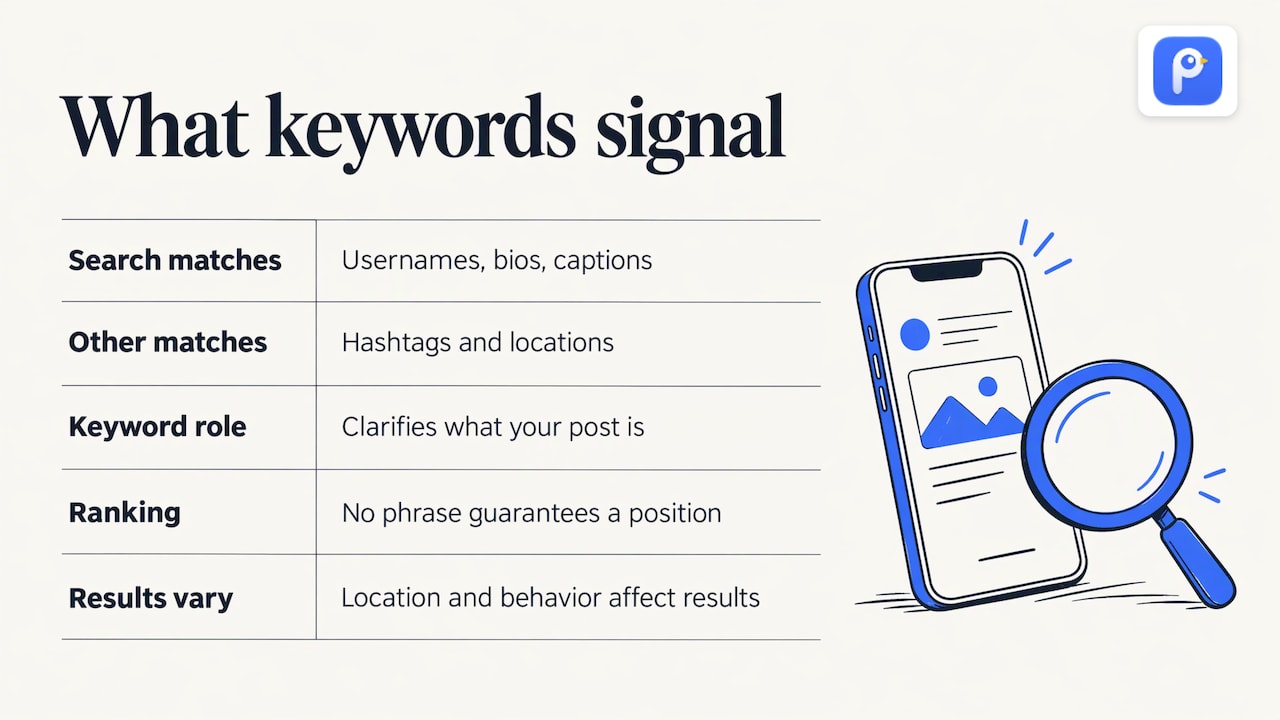
A keyword is simply a word or phrase a person would type when looking for something. Instagram matches the words typed in search against usernames, bios, captions, hashtags and locations, so the text you write is one of the few signals you directly control.
Two cautions keep expectations realistic. Instagram’s search also reads the picture or video itself, so a post with a weak caption can still surface, and the same query shows different results to different people depending on their location and behavior. Treat keywords as a way to remove ambiguity about what your post is, not as a switch that guarantees a ranking. Meta’s own Transparency Center describes search as gathering candidates, scoring, filtering and ranking, which is why no single phrase fixes your position.
If you post tutorials, product demos or recipes, being clear in words is cheap and it works for the viewer too: someone scrolling decides in a second whether your post is for them.
How to choose keywords people actually search
Start where your audience starts: the search bar. Later recommends using Instagram’s autocomplete as a first keyword research tool, then checking that the language you naturally use is the language your audience would type.
A practical routine:
- Type your topic into search and note the suggestions that appear. “Meal prep for beginners” beats “meal prep” because it names a person and a need.
- Pick one primary keyword per post. This is the phrase the post is about.
- Add two or three supporting terms: product names, locations, audience descriptors. A strategist at Thrive Agency notes that location mentions, product names and audience descriptors are things the algorithm can pick up.
- Prefer specific over clever. In a Hootsuite experiment with ten posts, the writer concluded that being obtuse or artsy with a caption does not help reach, while descriptive keywords did.
That Hootsuite test was small (one account, one week, 2022), so read it as a direction rather than a rule. In it, every keyword-led caption reached more people than its hashtag-only twin, about 30% more overall.
Example: a fitness creator
A coach posts a 20-minute dumbbell workout. Her primary keyword is “20 minute dumbbell workout”. Supporting terms: “at home”, “beginners”. Her first line reads: “A 20 minute dumbbell workout at home that beginners can finish before work.” It reads like a person wrote it, and it contains all three phrases.
Where to place keywords in the caption
Placement matters less than naturalness, but a few habits are consistent across the guides:
- Open with the keyword and a reason to stay. Quuu’s guide says the opening sentence carries the most weight for search, so pair the primary phrase with a hook. Instagram also truncates long captions, so the first line is what people read.
- Spread supporting terms through the body, in sentences that give real information.
- Keep keywords in the caption, not the comments. Semrush advises putting keywords and hashtags in the caption rather than in comments.
- Mind the length. A caption can run up to 2,200 characters, but a short caption with clear words usually serves a viewer better than a long one.
Avoid stuffing
Later puts it bluntly: forcing a keyword in or repeating it without context hurts readability. A simple test: read the caption aloud. If a phrase sounds like it belongs in a search box rather than a sentence, rewrite it. Planoly’s example shows the difference well: “high-protein lunch”, “1500 calorie day” and “easy meal prep recipe” can all sit in one readable sentence instead of a list.
Keywords versus hashtags in 2026
A hashtag is a clickable tag that files a post on a topic page. A keyword is just words. Both can appear in a caption, and the keywords do the heavy lifting.
Instagram’s head, Adam Mosseri, has said for years that hashtags add little reach; in 2022 he said he would not think of hashtags as a way to get more distribution, according to a professional analysis of hashtag data. Instagram’s creator guidance still says relevant trending hashtags can help reach people interested in a topic, and the platform has capped tags at five per post. So the sensible approach is a few precise hashtags that match your keywords, placed in the caption, and no long tag blocks.
Comment keywords: the second kind
Search keywords bring a stranger to the post. A comment keyword turns that viewer into a conversation. You write a call to action such as “Comment GUIDE and I’ll send it to you”, and an automation sends a DM with the link to anyone who comments the word.
This pattern is popular because it solves a real limit: Instagram captions do not hold clickable links, so you would otherwise point people to a bio link they have to find and tap. A DM puts the link in front of the person who asked for it. If you want 30 wordings to adapt, see these comment-for-link caption examples, and for a broader view of the options, which Instagram trigger fits what.
How to choose a comment keyword
The comment keyword has different rules from the search keyword:
- Short and easy to type. One word, no spaces, no unusual spelling. “GUIDE” works; “freeguide2026” invites typos.
- Unique to the offer. If two posts both use “LINK”, you cannot tell which one drove the click. Give each offer its own word.
- Obvious in the caption. Put it in capitals and say exactly what the person gets.
- Relevant to the topic. “RECIPE” on a recipe reel feels natural. For more ideas, there are 40 DM keyword ideas for podcasts, flyers and bios too.
Separate the two on purpose. Your opening line carries the search phrase (“20 minute dumbbell workout at home”). Your closing call to action carries the comment word (“Comment PLAN for the printable week”).
How keyword-triggered DM automation works
The flow has four parts:
- A follower comments your keyword on a post, reel or carousel.
- The tool sees the comment and checks it against the keyword you set.
- It sends a private DM to that commenter with your message and link.
- If the person replies, the conversation can continue.
The detail that trips people up is Instagram’s rule on what you may send. Meta’s developer documentation for private replies to comments says only one message can be sent to the commenter, and for posts and reels it must go out within 7 days of the comment. For Instagram Live, replies can only be sent during the broadcast. Further messages are possible once the person responds.
That single-message limit shapes how you write the DM. The first message has to carry the link or the next step, and ideally invite a reply. A tap-able button is one way to do that; there is a guide on why the first automated DM should have a button.
If you want the step-by-step version, here is comment-to-DM on Instagram, explained, and a plain-language overview of what Instagram DM automation is.
Setting up a keyword-triggered DM
Whether you build it by hand or use a tool, a good setup has the same ingredients.
Step 1: Write the caption first
Draft the caption with your search keyword up front and the comment keyword at the end. State the benefit and the exact word. Example: “A 20 minute dumbbell workout at home that beginners can finish before work. Comment PLAN and I’ll DM you the printable week.”
Step 2: Set the trigger
Choose the post and the keyword. Decide whether any comment should trigger the DM or only ones containing the word. Pidgo reads your caption and picks out the important keywords for you, so you are not starting from a blank form, and you trigger the automation only when you are ready.
Step 3: Write the message
A generic bot reply gets ignored. The message should sound like you, say why the person is getting it and make the next step obvious. Pidgo generates personalized replies, link messages and reminders in your tone, offers message variants, and can also send follow requests and collect an email address directly in the DM. If you write your own, this guide on DMs that sound human shows what to keep and cut.
A solid link message has three parts: a greeting that uses the commenter’s context, the link, and one line that invites a reply.
Hey, thanks for asking! Here’s the printable week: [link]. If you get stuck on any of the moves, just reply and tell me which one.
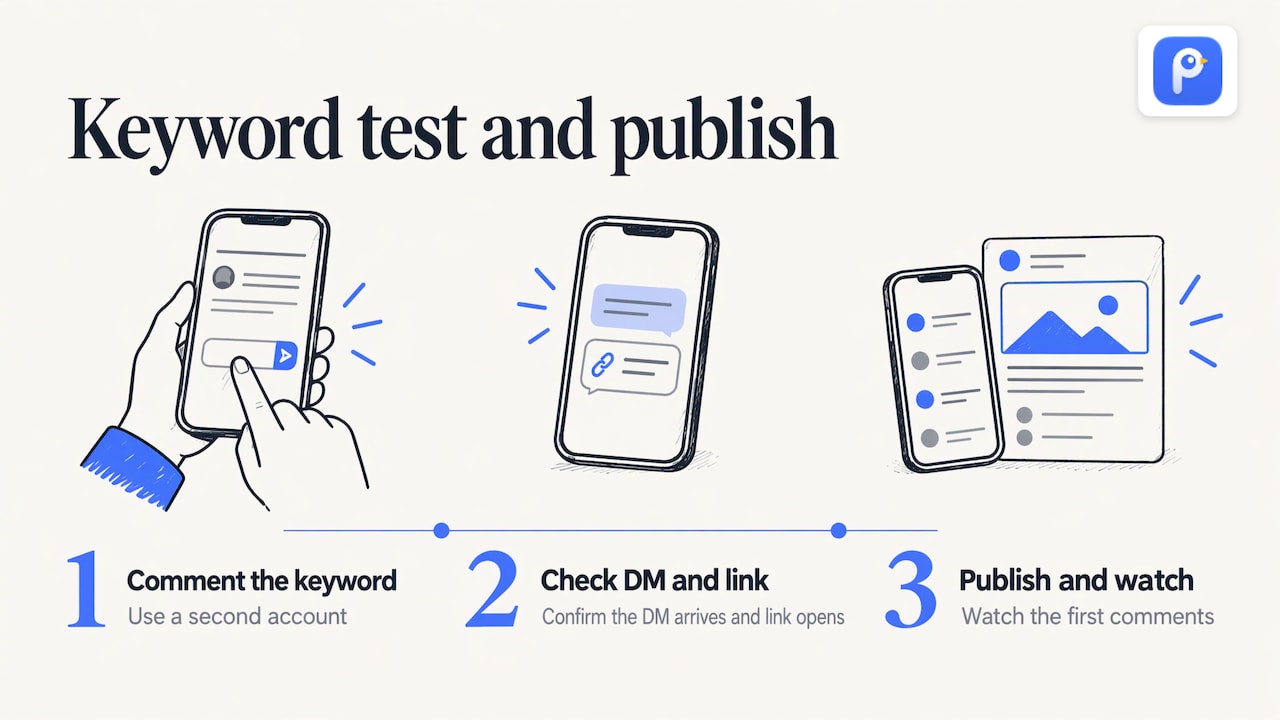
Step 4: Test and publish
Comment the keyword from a second account, and check that the DM arrives and the link opens correctly. Then publish and watch the first comments.
Rules and limits to check
Instagram’s rules decide what automation can do, and they change, so check Meta’s documentation before launching a campaign. The points below are the ones Meta’s current pages state:
- One private reply per comment, sent within 7 days of the comment on posts and reels (Meta’s private replies page).
- Live comments can only be answered during the broadcast.
- Follow-up messages need the person to respond first.
- Hashtag cap: Instagram’s Help Center allows up to five tags on a post, so plan your caption accordingly.
For a longer look at what is allowed and what to avoid, read how to auto-reply to Instagram DMs.
Measuring whether it works
Reach is the wrong only number. Track a chain per post:
| Stage | What to look at | What it tells you |
|---|---|---|
| Discovery | Reach from non-followers | Whether the search keywords and hook work |
| Interest | Comments containing the keyword | Whether the call to action is clear |
| Delivery | DMs sent | Whether the trigger is set up correctly |
| Action | Link clicks, emails collected | Whether the message and offer convert |
Change one thing at a time. If comments are high but clicks are low, the problem is the message or the page behind the link. If comments are low, rewrite the call to action. If reach is low, work on the opening line and keywords.
Pidgo shows per-post analytics and click tracking, so each post’s comments, messages and clicks sit side by side. For the method, see how to measure comment-to-DM results.
Let Pidgo handle the DM half
Writing good captions is your craft. Replying to every commenter by hand is where the time goes. Pidgo reads the caption, identifies the keywords, and generates personalized replies, link messages and reminders in your tone, for reels, posts and carousels. It tracks clicks and can collect emails inside the DM, so one post grows your audience and your list together. It also works with MCP-compatible AI assistants such as Claude, Cursor, Windsurf, Gemini CLI and OpenAI Codex, so you can draft an automation from a simple description.

Pidgo is in limited free beta, listed at $0 per month on the pricing page. Creators can see how it fits their workflow, and the Pidgo DMs page explains keyword auto-replies.
Common mistakes
- One word for everything. Reusing “LINK” on every post makes results impossible to separate.
- A hidden keyword. If the comment word is buried mid-caption, few people will see it. Put it at the end, in capitals.
- A vague promise. “Comment for info” converts worse than “Comment PLAN for the printable week”.
- A robotic DM. People notice. Write in your voice and keep it short.
- No next step after the link. Since only one automated message is allowed, give the person a reason to reply.
FAQ
How many keywords should an Instagram caption have?
There is no official number. Guides commonly suggest one primary phrase near the start and a few supporting terms in the body, written naturally. If a caption reads awkwardly aloud, remove keywords until it sounds like you.
Are hashtags still worth using?
A few relevant ones are fine, and Instagram caps them at five per post. Mosseri has said they add little reach, so treat them as labels that match your caption keywords, not as the main discovery tool.
Can a comment keyword trigger a DM automatically?
Yes. A tool can watch for the word and send a private reply to the commenter. Instagram’s rules allow one such message per comment, within 7 days for posts and reels, and more only after the person responds.
Should the search keyword and the comment keyword be the same?
No. The search keyword is a descriptive phrase people type to find a topic. The comment keyword is a short, unique word that triggers the DM. Using different words for each keeps both jobs clear and your results easy to read.
Does automation make my replies feel impersonal?
It does not have to. Messages written in your tone, with a clear reason for the DM and a real next step, read as helpful. Pidgo generates replies in your tone and offers message variants so the replies do not all look identical.
Sources
- Instagram SEO: What It Is, How to Do It, & Best Practices (Semrush)
- Instagram SEO, optimize for search, Reels, and Explore (Later)
- How to Write SEO-Friendly Instagram Captions (Thrive Agency)
- Experiment: Instagram SEO vs Hashtags (Hootsuite)
- Merging SEO keywords with social content (Quuu)
- How to Use Keywords on Instagram (Planoly)
- Do Instagram Hashtags Still Work? Limits and Reach (Aubrium)
- Private replies, Instagram Messaging (Meta for Developers)
- Send a Private Reply to a Commenter (Meta for Developers)
- Meta Transparency Center